
TL;DR
With Solaris 11.4 SRU 90, the behavior of ls -s with the -h option has been aligned with that of GNU ls.
A Small Difference
There are areas where the tools within Solaris and Linux differ slightly, even though the tools largely serve the same purpose. This is the kind of thing that can drive a script developer insane.
On Solaris 11 prior to SRU 90, both the -s option and -sh (-h stands for “human readable”) display the number of blocks a file occupies from the filesystem’s perspective. nfsserver is running Solaris 11.4 SRU 88
root@nfsserver:~/testenv# dd if=/dev/random bs=1k count=1000 of=testfile
1000+0 records in
1000+0 records out
root@nfsserver:~/testenv# ls -s
total 2057
2057 testfile
root@nfsserver:~/testenv# ls -sh
total 2057
2057 testfile
In essence, Solaris ls previously ignored the -h flag.
With GNU ls, the behavior is somewhat different. When using the -s option, the number of blocks is displayed just like on Solaris. However, when adding -h, the file size is shown in a “human readable” format.
kirby is a system running Debian 13.
root@kirby:~/testenv# dd if=/dev/random bs=1k count=1000 of=testfile
1000+0 records in
1000+0 records out
1024000 bytes (1.0 MB, 1000 KiB) copied, 0.0059723 s, 171 MB/s
root@kirby:~/testenv# ls -s
total 1000
1000 testfile
root@kirby:~/testenv# ls -sh
total 1000K
1000K testfile
This behavior is now identically implemented in ls on Solaris as of SRU 90. testbed is running Solaris 11 SRU 91.
root@testbed:~/testenv# dd if=/dev/random bs=1k count=1000 of=testfile
1000+0 records in
1000+0 records out
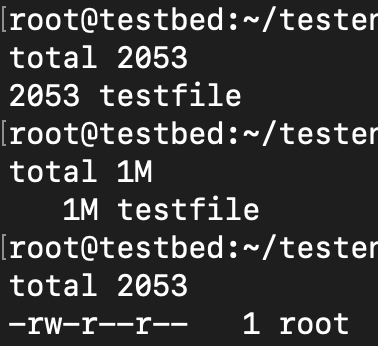
root@testbed:~/testenv# ls -s
total 2053
2053 testfile
root@testbed:~/testenv# ls -sh
total 1M
   1M testfile
root@testbed:~/testenv# ls -lh
total 1M
-rw-r--r--   1 root     root       1000K Mar 25 14:02 testfile
However, differences remain that may still require special handling of ls in scripts.
Linux reports 1000 blocks for the same file size, whereas Solaris reports 2053. This is because blocks in ls on Linux are 1K while on Solaris they are 512 bytes. You can force Linux to behave like Solaris:
root@kirby:~/testenv# POSIXLY_CORRECT=true ls -s
total 2000
2000 testfile
root@kirby:~/testenv# POSIXLY_CORRECT=true ls -sh
total 1000K
1000K testfile
The differences between the outputs on Linux and Solaris stem from what is counted toward the number of blocks and what is not. For example, on Solaris the block count decreases when you change the record size of the filesystem to 8k.
root@testbed:~# zfs create rpool/test2
root@testbed:~# zfs set blocksize=8k rpool/test2
root@testbed:~# zfs set recordsize=8k rpool/test2
root@testbed:~# cd /rpool/test2
root@testbed:/rpool/test2# dd if=/dev/random bs=1k count=1000 of=testfile
1000+0 records in
1000+0 records out
root@testbed:/rpool/test2# ls -s
total 2023
2023 testfile
root@testbed:/rpool/test2# ls -sh
total 1012K
1012K testfile