
Yesterday, the last missing piece of my new fileserver arrived. But so much to do. I have to work. I’m learning something outside my normal stuff at the moment which has neither to do with my existing hobbies (it’s a new hobby in planning for a few years now and at the beginning of this year I really started it instead of just fooling around1) nor my job, and I think I will have to explain to my teacher why I didn’t go forward with training. But letting new hardware components lie around is against my nature. Fileserver was more important. But I doubt the teacher will accept it.
The last missing parts were two 16-terabyte WD Red Pro disks. It’s just mindboggling that I acquired lots of A5000 arrays back in 2000 and they still hadn’t the amount of storage this single disk has today. But we didn’t talk about helium-filled disks with energy-assisted magnetic recording for home use at that time either.
Almost RAIDless
My configuration is a little bit strange. I’m not using RAID for the large disks. As I wrote earlier: RAID is not a data protection feature, it’s an availability feature. It can prevent you in a hardware failure situation from having to use data protection features. But first and foremost it’s about being able to work without interruption, because your filesystem is still accessible even when one disk fails, whereas with my RAIDless approach I have to manually change things.
But what if you don’t need availability protection? For me it’s more important to have independent copies of the filesystem. So, when I delete something by accident, I’m able to recover it. If someone encrypts my data, I’m able to jump back quite fast. I can live with some manual reconfiguration.
My config
In the end I had the following configuration:
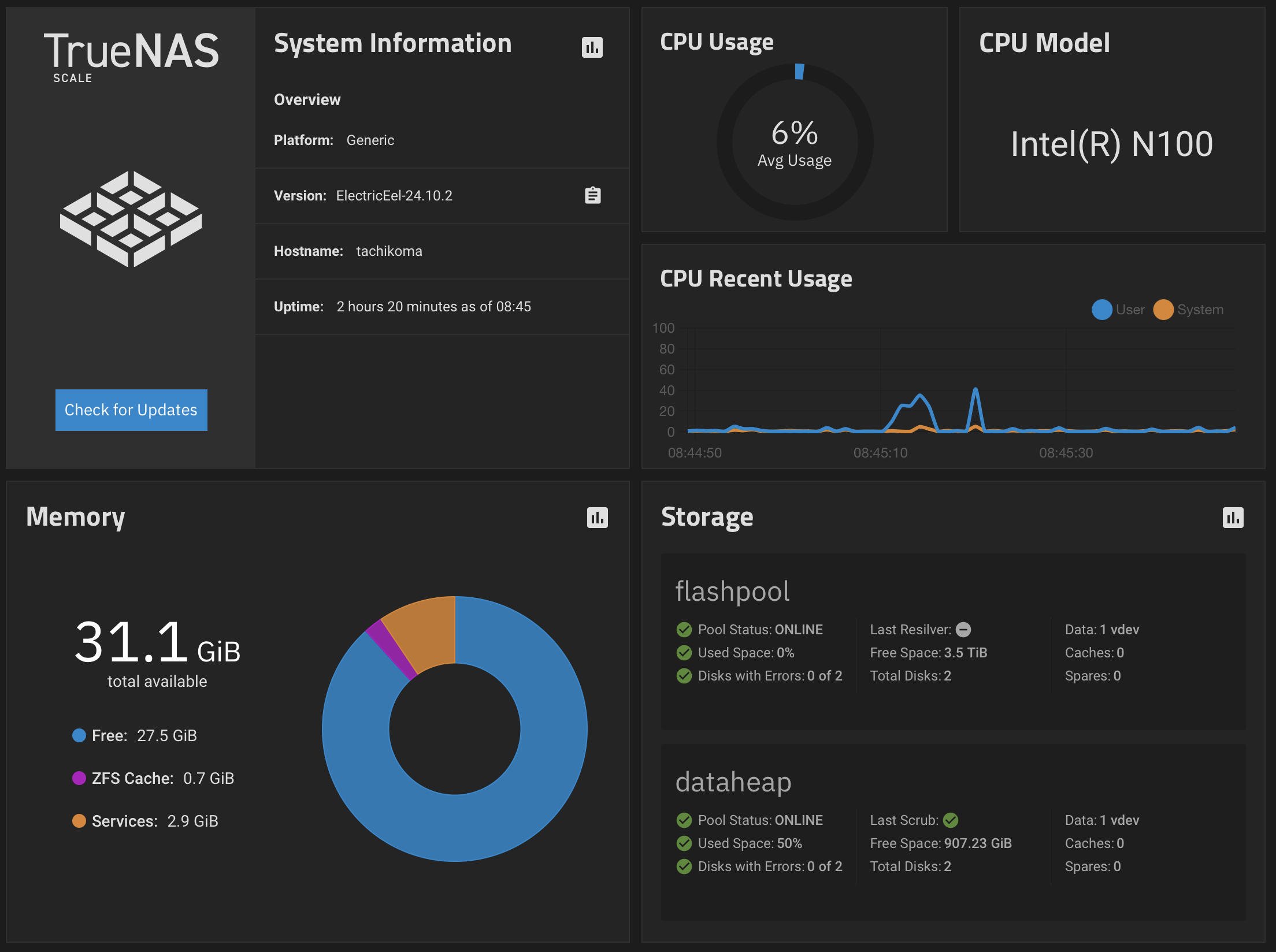
There is a single pool with RAID on my fileserver. It’s called flashpool. It’s the reason why this blog entry isn’t titled “RAIDless”. It’s the pool where I’m actively doing any work. Where server processes are doing their work. My Gitea runs on it with its workflow for the blog. There are other tools storing their data on it, too. So, this pool is configured with two 4 TB SSDs in RAID 1. I thought a while about configuring them as RAID 0, but I don’t think I will need 8 TB flash soon (when I’m honest to myself) and I think this would be the filesystem where it’s most probable that I don’t have the time to recover it when I really need data from it.
Then there are two additional pools: diskpool_primary and diskpool_secondary. Both pools consist of a single 16 TB WD Red Pro. Currently both pools have three main datasets:
flashpool_backuptimemachinedataheap
There are a few replications configured there:
flashpoolis replicating all changes todiskpool_primary/flashpool_backupevery hour.flashpoolis replicating all changes todiskpool_secondary/flashpool_backupevery 12 hours.
The reasoning behind this is that against hardware errors this pool is protected by RAID 1 and I have two copies trailing 1 hour respectively 12 hours. In addition to that I have snapshots of the flashpool.
However, I’m using diskpool_primary for directly storing data on it without using flashpool before. So, I need a backup there.
It’s obvious what I’m storing in timemachine. All users of the system get their own dataset in this pool and then for each system they are backing up to the system their own dataset that is created in the dataset of the user. For example, diskpool_primary/timemachine/joergmoellenkamp/waddledee for my desktop Mac. This is shared with SMB to the outside.
diskpool_primary/dataheap is for data hoarding purposes. Large files, old ISOs of prehistoric Solaris versions, one of the many copies of “My life in receipts as managed by Devonthink”. Or long-term preservation of older media or VirtualBox VMs of experiments of the past.
Several replications are working here as well.
diskpool_primary/dataheapis replicating all changes at 12:00, 18:00 and 22:00 each day todiskpool_secondary/dataheap. There isn’t a replication after 22:00 and before 12:00 because I don’t think I will change much data after 22:00 and before 6:00. And if so, this is not important. I could always manually trigger a replication.diskpool_primary/timemachineis replicating all changes once a day. It’s a backup of a backup. I don’t think I need to replicate it much more often than that.
Remote replication
There is an additional replication in place: In my cellar there is another fileserver running in a VM just for receiving a replication from flashpool. This replication is manually triggered once a day when I’m working with that system anyway. It just replicates the flashpool on an externally attached USB drive. This system doesn’t even have the keys for the pool. So, I don’t have a problem with the system being in a somewhat public space in a rack (the rack is locked, but you don’t have to be the Lockpicking Lawyer to open those locks).
Future investments
Perhaps at one point in time I will purchase a 16 TB disk for the remote replication target, but I’m currently not that convinced that I will need it. But it’s perfectly possible that I will wake up at some point in time in the middle of the night convinced that I need such a third disk at my remote replica.
At the moment all this looks like a good idea to me. But in the future it’s perfectly possible that I’m opting for a 4-bay NAS and mirror both pools. Would be something north of 1000 € again. But as money has the nasty property of being limited and ideas to spend it have the annoying property of being unlimited, I decided to move this into the future.
Against best practice
I know, it’s against best practice to have a single-disk ZFS pool for both diskpools, but I think because of the use case and the surrounding infrastructure I can accept that risk. Because I’m not actually working on this pool. It’s for archival purposes. If I see a checksum error preventing me from accessing a file, I have other means to recover it by using its replica.
Noise
My WD Red Pros have one annoying feature. When idling they are moving their heads every 5 seconds. As far as I was able to find out, it’s meant to prevent problems with the bearing and lube distribution. In sleep this doesn’t happen. So, you want those drives to sleep quite often when the disks are right beside your ears.
I have a budget of 600,000 off/on ramps on a WD Red Pro. Which boils down to 13 off/on ramps per hour (600000/5/365/24) when I plan to retire the disk at the end of its 5-year warranty. Based on my replication schemes and the fact that there is no user traffic on diskpool_secondary there should be much less off/on ramps on diskpool_secondary in a few years’ time. I will reverse the roles of diskpool_primary and diskpool_secondary roughly when 3/4 of my off/on ramp budget has been used up on diskpool_primary. So far the theory.
In practice, I’ve currently set the sleep period to 5 minutes. I will observe the development of the counter in the next few days and perhaps increase it to 10 minutes. But I don’t think it’s necessary. On the other side I have the impression that they currently wake up much more often than I think is feasible considering the load. I think the operating system itself is accessing the pools for whatever reason. I must investigate this. Currently there is no difference between both disks according to smartctl. But with the current trend I would use up 1/3 of the budget at the end of the warranty. I can live with that.
-
After fooling around for almost two years, I concluded that I need expert help — and I did really a lot of things really the wrong way as I learned now. It’s like the reason why I had to leave the machine typing course at school. I’m trying to unlearn them now. I started to learn it to a large part as stress relief (as this was in an extremely stressful time with a large project at work ongoing and otherwise a situation that I was utterly ill-equipped for — in combination I was on a very unhealthy trajectory then). This new attempt of a hobby really helped to switch off my brain and is still doing so. But ‘needing’ to show progress to the teacher each week adds stress — but at least now I see tiny, tiny breakthroughs every week. I hope the stress relief comes back. Or I should reevaluate if I keep this hobby. ↩
