
(originally published on 09.06.2017, reviewed/rewritten on 13.04.2025, tested on Oracle Solaris 11.4 SRU 79)
There is an easy way to directly set a hashed password with the passwd tool. In Solaris 11.3 the -p option was introduced to the tool.
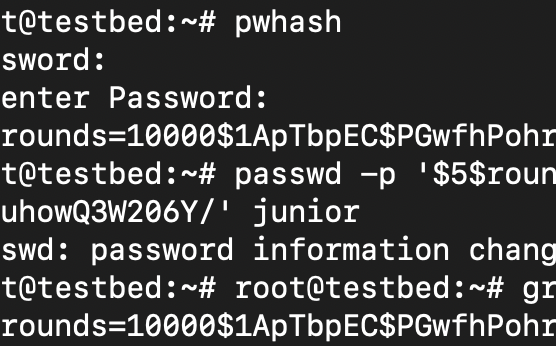
root@testbed:~# pwhash
Password: supersecret
Re-enter Password: supersecret
$5$rounds=10000$1ApTbpEC$PGwfhPohr27EbTlmnEo9t45uXdRTqutuhowQ3W206Y/
root@testbed:~# passwd -p '$5$rounds=10000$1ApTbpEC$PGwfhPohr27EbTlmnEo9t45uXdRTqutuhowQ3W206Y/' junior
passwd: password information changed for junior
root@testbed:~# grep "junior" /etc/shadow | cut -d ":" -f 2
$5$rounds=10000$1ApTbpEC$PGwfhPohr27EbTlmnEo9t45uXdRTqutuhowQ3W206Y/
Of course, the usual objections apply. The man page states:
It is intended to be used for scripting password hash updates. Its use is generally discouraged, as the hashed password is visible through ps(1) while the command runs.

Scripted password hash updates were useful for that niche case.